1. Why 3D Browser Gaming Exploded in 2026
For over a decade, playing a visually stunning 3D game meant opening desktop storefronts, checking GPU requirements, and clearing valuable SSD storage space. But between 2024 and 2026, advances in WebGL, Three.js shaders, and modern browser rendering engines completely closed the performance gap.
Today on platforms like WC26 Gaming Hub (wc26stream.online), you can click a link and dive straight into a living, breathing 3D metropolis or a high-speed multiplayer highway battle in less than 2 seconds. No login is required, no plugins are needed, and progress saves automatically to your browser's persistent HTML5 storage.
2. Pocket City 3D: The Ultimate City Builder Simulation
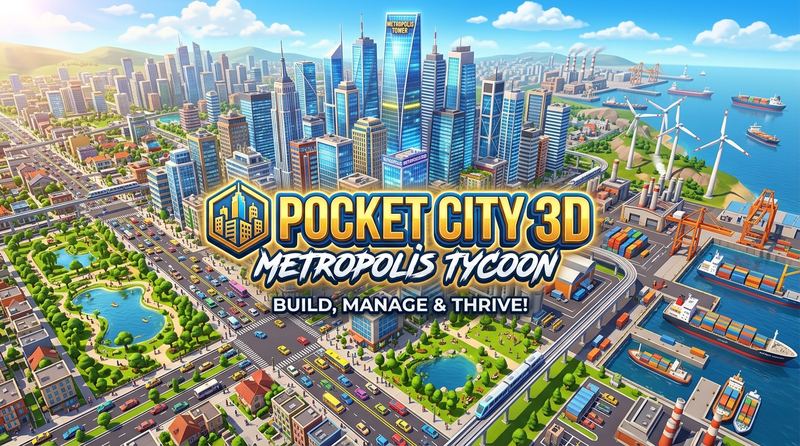
Topping our 2026 ranking is Pocket City 3D, a masterpiece in low-poly urban planning that runs at a locked 60 FPS on virtually any hardware.
Unlike heavy simulation games that melt laptop batteries, Pocket City 3D utilizes instanced GPU mesh rendering. This allows the game to render hundreds of independent vehicles, pedestrian AI agents, commercial skyscrapers, and emergency service vehicles simultaneously without dropping frames.
- Genre: 3D City Builder / Tycoon Simulation
- Controls: Mouse Orbit (Right-Click Drag), Pan (WASD / Left-Click), Zoom (Scroll / Pinch)
- Highlights: Dynamic day-night lighting, tax budget optimization, and disaster response.
Play Pocket City 3D Online Now
Construct your dream metropolis instantly in your browser tab. 100% free with no install.
3. WC26 Turbo 3D: Highway Multiplayer Racing
If high-velocity competition is your craving, WC26 Turbo 3D sets the gold standard for browser racers. Players can sprint solo through neon cyber-highways, dodge commuter traffic, or create a private party room with a 6-digit code to challenge friends in real-time WebRTC multiplayer races.
With realistic drift physics, custom paint customization, and nitro boost mechanics, it proves that web browsers can deliver the adrenaline rush of traditional arcade racers.
4. World Cup Shootout: 3D Penalty Championship
Football fans looking for bite-sized drama will love World Cup Shootout. Players step up to the penalty spot to outwit intelligent AI goalkeepers. Target the top corners, curl the trajectory, and defend your net across a tense 5-round international tournament.
The game features tactile mobile touch controls and crisp sound effects, making it ideal for quick gaming sessions during study breaks or work downtime.
5. Foosball Master 3D: Table Soccer Showdown
Recreating the physical excitement of classic table football, Foosball Master delivers realistic ball physics, bank rebounds off side rails, and multi-rod defensive positioning. Slide your defenders with arrow keys or on-screen touch buttons to pull off unbelievable saves and lightning-fast counter-attacks.
6. How to Play Unblocked at School or Office
One of the biggest reasons players seek browser games is accessibility. Many school Chromebooks and workplace networks restrict traditional game downloads or client installations like Steam or Epic Games.
Because WC26 Gaming Hub (wc26stream.online) is served over standard HTTPS protocols without third-party executable binaries, it bypasses traditional download filters and runs cleanly inside Google Chrome, Microsoft Edge, Safari, and Brave with zero administrative privileges required.
7. Frequently Asked Questions (FAQ)
Do I need a dedicated graphics card to play 3D browser games?
No! All games on WC26 Gaming Hub are engineered using lightweight low-poly shaders and instanced geometry. Integrated Intel UHD or Iris Xe graphics, Apple Silicon (M1/M2/M3), and modern smartphone processors achieve a smooth 60 FPS without overheating.
Is my game progress saved if I refresh the page?
Yes! Games utilize the HTML5 LocalStorage and IndexedDB browser APIs to automatically store your high scores, city layouts, and customization unlocks locally on your device.
Are these games free to play?
Every single title on WC26 Gaming Hub is 100% free with no time limits, pay-to-win mechanics, or mandatory subscription fees.